1080P LED Home Theater Projector: Auto Keystone & Bluetooth
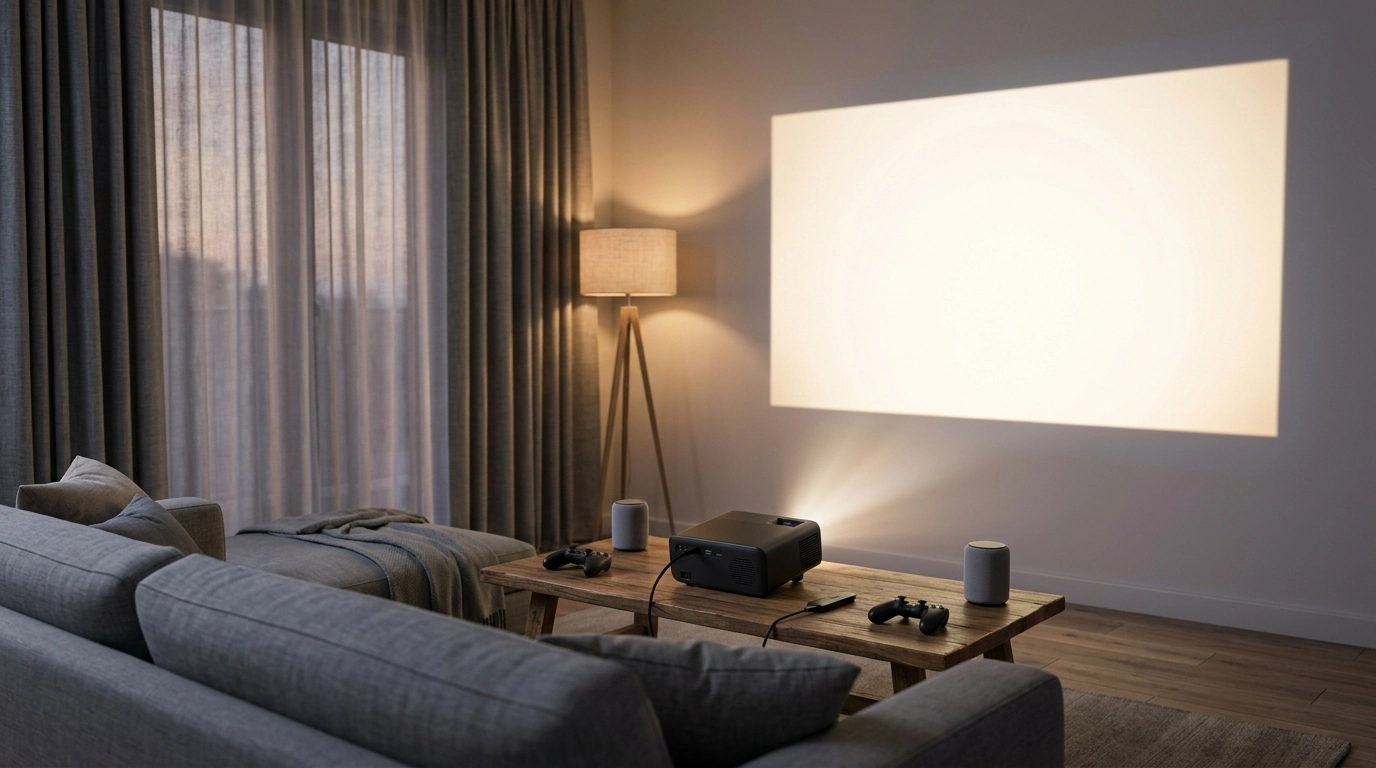
Full HD 1080P LED Home Theater Projector with Auto Keystone & Bluetooth: Setup, Picture, and Everyday Use
A home theater projector should be easy to place, quick to align, and simple to connect to speakers and streaming devices. This guide breaks down what to expect from a Full HD 1080P LED projector with auto keystone and Bluetooth, how to set it up for a sharp rectangular image, and how to get the best results for movies, sports, and gaming nights.
What This Projector Is Built For
A Full HD 1080P LED home theater projector is designed to deliver a big-screen feel without turning setup into a project. It’s a natural fit for everyday entertainment spaces where you want a larger image than a TV can provide, but you still need quick alignment and easy connections.
- Big-screen viewing in living rooms, bedrooms, dorms, and backyard movie setups
- Full HD 1080P playback for clear detail in films, TV, and sports
- Auto keystone support to reduce time spent manually squaring the picture
- Bluetooth audio connections to soundbars, speakers, or headphones (device compatibility can vary)
- LED light source designed for long-term use with consistent brightness compared with traditional lamp projectors
If you’re shopping for a projector that’s entertainment-first, start here: Full HD 1080P LED Home Theater Projector with Auto Keystone & Bluetooth.
Key Features That Matter Day to Day
Spec lists are helpful, but what matters is what you’ll notice nightly: readable subtitles, easy alignment, and audio that matches what’s on screen. These core features tend to shape your day-to-day experience the most.
- Full HD resolution: helps preserve fine detail like subtitles, faces, and UI elements
- Auto keystone: helpful when the projector can’t be perfectly centered; improves rectangular alignment
- Bluetooth: reduces cable clutter when pairing external audio (use wired audio if Bluetooth latency is noticeable)
- LED illumination: typically runs cooler and can offer longer life than replaceable lamps
- Home-theater orientation: designed for movie-first viewing rather than portable business presentations
Quick Feature-to-Benefit Guide
| Feature | Why it helps | Best use case |
|---|---|---|
| 1080P playback | Sharper image and cleaner text | Movies, sports, console menus |
| Auto keystone | Faster picture alignment when off-angle | Ceiling shelf, side table placement |
| Bluetooth audio | Simpler connection to speakers | Soundbar or portable speaker setups |
| LED light source | Lower maintenance over time | Regular nightly viewing |
| Home theater format | Optimized for entertainment viewing | Streaming sticks and HDMI devices |
Fast Setup: Placement, Focus, and Keystone
A clean setup routine can save you from chasing blur, odd angles, or “why do the corners look soft?” frustrations later. Aim for the best physical placement first, then use automatic correction to finish the job.
- Start with a stable surface: a level table, shelf, or ceiling mount reduces the need for heavy correction.
- Aim for a centered throw: keeping the lens as close to screen center as possible improves clarity edge-to-edge.
- Use auto keystone first, then fine-tune: let the automatic adjustment square the image, then adjust focus for crisp text.
- Check screen surface: a smooth white wall can work, but a dedicated screen usually improves perceived contrast and uniformity.
- Control ambient light: dim lights and close curtains for stronger blacks and more cinematic contrast.
If you’re using a streaming stick, don’t forget it may need power near the projector. A high-capacity portable option can help keep the setup clean: 120W Fast Charging Power Bank 50000mAh for Samsung.
Getting Great Picture Quality (Without Overthinking It)
The fastest path to a great image is a small set of practical checks: match the mode to your room, minimize digital correction, and dial in brightness/contrast using real scenes—not test patterns you’ll never watch again.
- Choose a picture mode that matches the room: brighter modes for daytime, cinema-style modes for dark rooms.
- Reduce digital correction when possible: heavy keystone or zoom can soften detail; physical alignment usually looks sharper.
- Set brightness/contrast with real content: use a dark scene and a bright scene to avoid crushed blacks or blown highlights.
- Consider screen size vs. brightness: extremely large images may look washed out in brighter rooms.
- Keep lens clean: a microfiber cloth and gentle cleaning prevent haze and loss of sharpness.
For reliable connectivity and consistent video handshakes, use quality HDMI cables and keep runs reasonable. If you’re curious how HDMI capabilities are defined across versions, the official overview is here: HDMI Specification (overview).
Bluetooth Audio and Wired Alternatives
Bluetooth is great for reducing cables, especially when the projector is across the room from your audio gear. Still, entertainment setups often benefit from having both a wireless option and a wired fallback.
Bluetooth features and profiles can vary by device, so compatibility isn’t always identical across brands. For a technical overview of how Bluetooth is standardized, see: Bluetooth Core Specification (overview).
Best Device Pairings (Streaming, Console, and Laptop)
Care, Longevity, and Troubleshooting
FAQ
Does auto keystone affect picture sharpness?
Auto keystone is a digital correction, and heavy correction can slightly soften fine detail. For the sharpest image, physically align the projector as close to center and level as possible, then use minimal keystone to finish squaring the frame.
Can Bluetooth be used for gaming audio without delay?
Bluetooth can introduce latency, which may be noticeable in competitive games or rhythm-based content. If timing matters, use wired audio or low-latency Bluetooth gear when supported, and consider audio delay controls on your soundbar or receiver.
What’s the easiest way to stream movies on a projector?
An HDMI streaming stick or media box is typically the simplest and most consistent option for app support. Use stable Wi-Fi for streaming, and keep the connection over HDMI for reliable video and audio.





Leave a comment